 TIFF ConvertTIFF Convert
TIFF Convert translates the new generation of greyscale TIFF files into legacy CIS and MAP formats.
It can also produce compact TIFF files of a similar size to their CIS counterparts by flattening out the paper grain into a uniform shade of grey, while still preserving all other detail.
The source files should ideally be 150 DPI as exceptionally large 300 DPI scans may exceed available memory space, in which case TIFF Slim may be used to downscale the image beforehand.
Current version 1.04 (22 February 2023): TIFFCONVERT.ZIP
Recent Changes
1.02 Minimise button now operational.
1.03 Save TIF line range configurable.
1.04 Save TIF optional white margins.
The operational mode is selected with the appropriate tab.
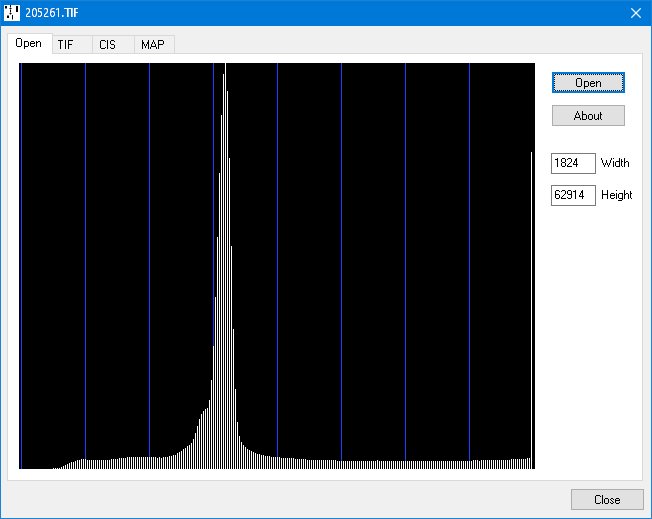
Drop the TIFF file into the program window or use the Open button.
The histogram shows the distribution of intensities from black (0) to white (255) with the paper forming the peak at around mid-intensity and the holes at full intensity. The blue graticule lines are at 32 step intervals (0, 32, 64, 96, 128, 160, 192, 224).
The image width and height in pixels appear on the right.
Greyscale TIFF files are converted to binary CIS format, discarding the greyscale information in the process. To compensate for the resulting loss of resolution, 150 DPI greyscales are first upscaled to 300 DPI (300 DPI files remain unscaled).
The Words and Notes thresholds perform similar functions to those previously provided by the clip level pots on the scanner to produce Bi-colour CIS files, but with the advantage that repeated adjustments can be made without needing to rescan each time.
The Notes threshold is not particularly critical and should be set roughly mid-way between the intensities of the paper and the holes.
The Words threshold is more critical and should be set just below that of the paper. Alternatively, if set to 0, a Single channel CIS file is created.
The Leader threshold can be deployed where the roll is significantly darker at the start. This overrides the Words threshold for the Leader Length defined in the CIS Options dialog.
Thresholds can be entered by either:
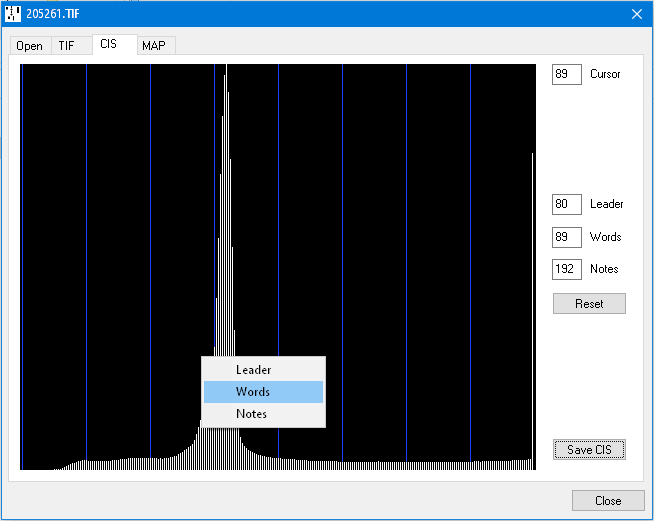
Save CIS invokes the CIS Options dialog box.
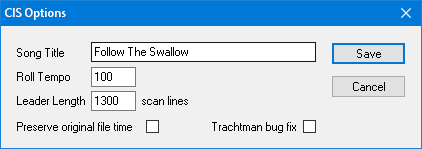
| Song Title | 32 characters stored in the CIS header. |
| Roll Tempo | An integer stored in the CIS header. |
| Leader Length | The number of scan lines at the start of the scan (prior to any upscaling) where the Leader threshold is operative. This can be measured using TIFF Viewer. |
| Preserve original file time | When set, the target file will inherit the file time from the source file. |
| Trachtman bug fix | Trachtman software malfunctions when presented with bi-colour CIS files with clear white margins. This option just adds a thin black line in the right margin. |
| Save | Saves the file with a .CIS file extension. |
MAP files are used with Wayne Stahnke's punch matrix recovery software. There are eight shades of grey, with the roll at black level, the holes at white level, and intermediate levels at the transitions between the two.
The Black threshold is therefore set to be just above that of the paper, while the White threshold is set to be at or just below that of the holes.
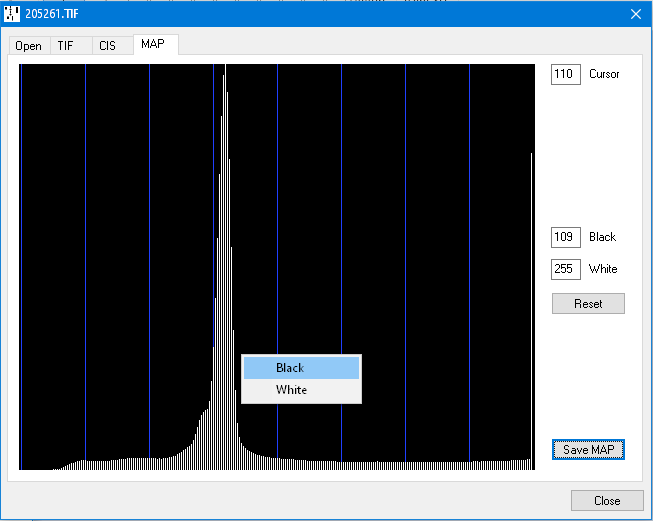
Save MAP invokes the MAP Options dialog.
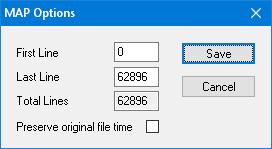
| First Line | Allows the tapered leader to be excluded, or individual songs to be extracted from a medley roll. TIFF Viewer can provide the appropriate line numbers. |
| Last Line | Defaults to the end of the file but may be set to exclude all lines beyond this point. |
| Total Lines | Displays the total number of scan lines in the source file. |
| Preserve original file time | When set, the target file will inherit the file time from the source file. |
| Save | Saves the file with a .MAP file extension. |
TIFF files can be made considerably smaller by sacrificing detail in the paper grain,
making the lossless LZW compression far more effective.
They can also be subdivided by specifying a line number range in the TIF Options dialog.
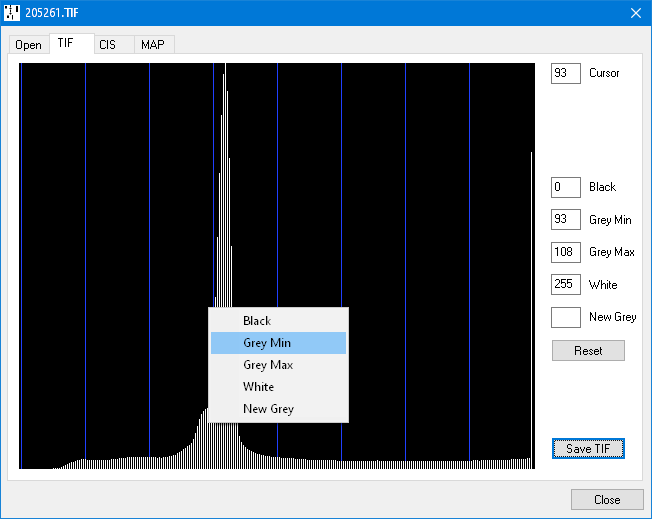
By default the original intensities are preserved, with Black set to 0, White to 255, and the remaining parameters undefined.
Grey Min and Grey Max can be set to values either side of the peak, resulting in everything between the two being set to the same intensity level. Use sparingly as this tends to make the words fainter.
Black and White may be set to stretch the contrast between these two limits such that everything outside is solid black or white.
New Grey may be used to redefine the intermediate grey level between Grey Min and Grey Max.
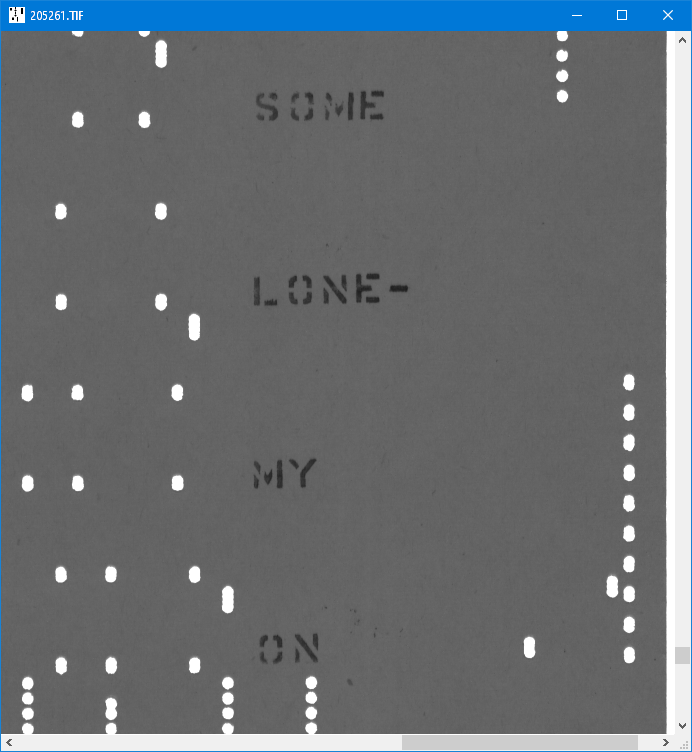
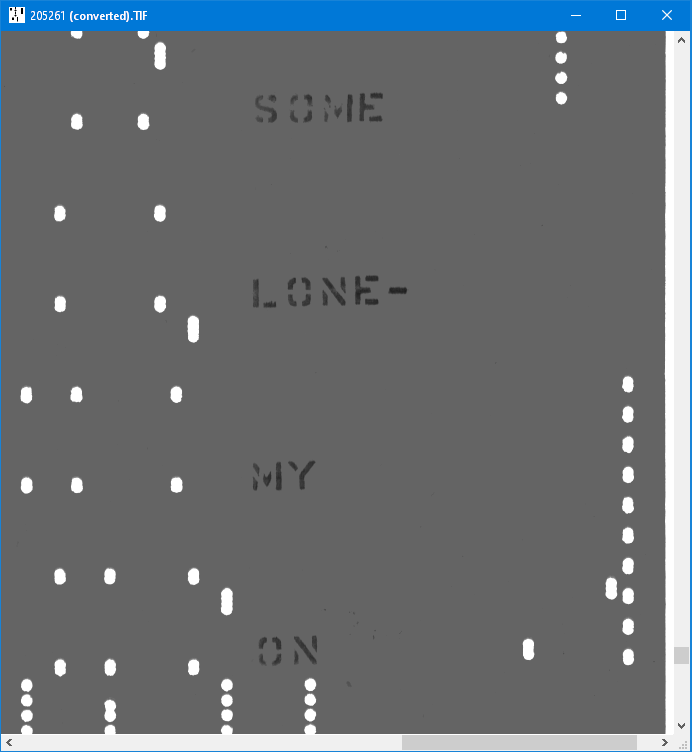
Here is an example of the paper texture being flattened out. Note the dramatic reduction in file size.
| Unmodified image with paper grain still intact. File size 45.6 Megabytes | Modified image with paper grain flattened out. File size 5.4 Megabytes |
|---|---|
 |
 |
Save TIF invokes the TIF Options dialog.
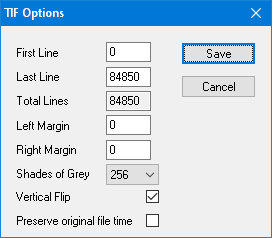
| First Line | Defaults to the start of the file but may be set to trim off the leader or extract individual songs from a medley roll. |
| Last Line | Defaults to the end of the file but may be set to exclude all lines beyond this point. |
| Total Lines | Displays the total number of scan lines in the source file. |
| Left Margin | Optional white margin width in pixels. |
| Right Margin | Optional white margin. May be specified as either the offset from the left edge (over half scan width) or the right edge (under half scan width). |
| Shades of Grey | The file size may be further compressed by reducing the number of grey levels down from 256 to 128 or 64. |
| Vertical Flip | When set, the orientation flag in the TIFF header indicates that the roll should be viewed from the bottom up, as is normally the case with rolls. |
| Preserve original file time | When set, the target file will inherit the file time from the source file. |
| Save | Saves the file with a (converted).TIF file extension. |