TIFF to CISTIFF to CIS
|
|
|
TIFF2CIS converts 8-bit greyscale or 1-bit monochrome TIFF image files to CIS format. It supports Uncompressed and LZW compressed TIFF files (but not ZIP, PackBits, Modified Huffman or Group 3/4 Fax compression).
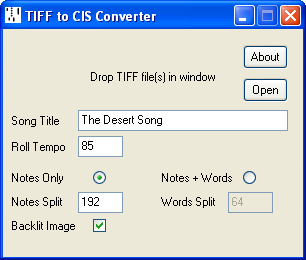
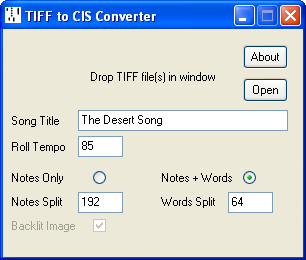
There are two modes of operation:
Creates a single channel CIS file. Applicable to either 8-bit greyscale or 1-bit monochrome TIFF files where no words are present.
Notes Split (0-255) sets the threshold between the note holes and the background (it has no effect with 1-bit monochrome TIFF files).
Backlit Image is selected where the holes are brighter than the background, otherwise deselected, as with flatbed scans*.
Creates a bi-colour CIS file. Applicable only to 8-bit greyscale TIFF files where the holes are lighter and the words darker than the background.
Notes Split (0-255) sets the threshold between the note holes and the background.
Words Split (0-255) sets the threshold between the background and the words.
Current version 2.04, 21 February 2021. TIFF2CIS.ZIP
* Roll scanning with a flatbed scanner was described by Richard Canedo in his 2006 article "Music From Photoshop", using my BMP to CIS utility. The procedure was complicated by the 30,000 line limit imposed by Photoshop on BMP files, making it necessary to split the file into segments. Photoshop's limit for TIFF files is 300,000 lines.