 RAW Matrix FinderRAW Matrix Finder
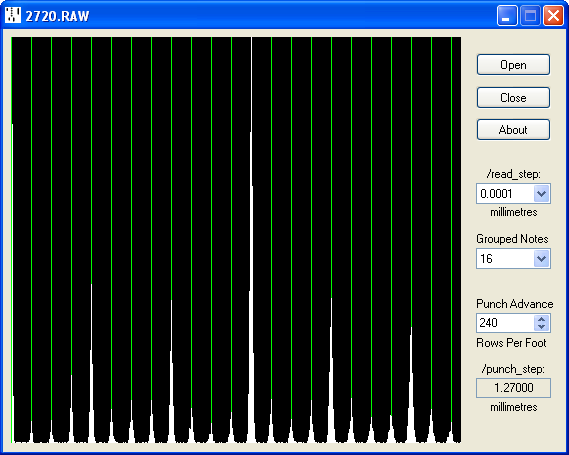
RAWMATRIX displays a histogram of the separation between events in a RAW file, allowing the perforator step size to be determined.
Current version 1.01 (2 June 2018): RAWMATRIX.ZIP
First create a RAW file from a MAP image file with REDUCE (at this stage any /punch_step: setting in the ANN file will be ignored).
Drop the RAW file into the program window (or use the Open button to select the file in the conventional way).
Set the read step to match the RAW file, either 0.001 mm or 0.0001 mm (if in doubt the correct setting will be obvious from the display).
Grouping notes together increases the number of measurements but makes them more susceptible to error if the punch rows are not exactly horizontal. The default setting of 16 is generally a good compromise but feel free to experiment.
Concentrating first on the left-hand side of the display, adjust the Punch Advance to align the grid with the peaks in the histogram as closely as possible across the width of the display. The easiest way is first to click the edit box and then use either the cursor up/down keys or the mouse wheel to spin through the settings.
Enter the step size into the ANNotation file. Continue the process with IMPROVE and RESTORE to create a WEB file.